

What prompt makes a clean AI coloring page?
Paste this into ChatGPT, Gemini or Whizi and fill the brackets. It names the four line rules that decide whether a page is colorable.
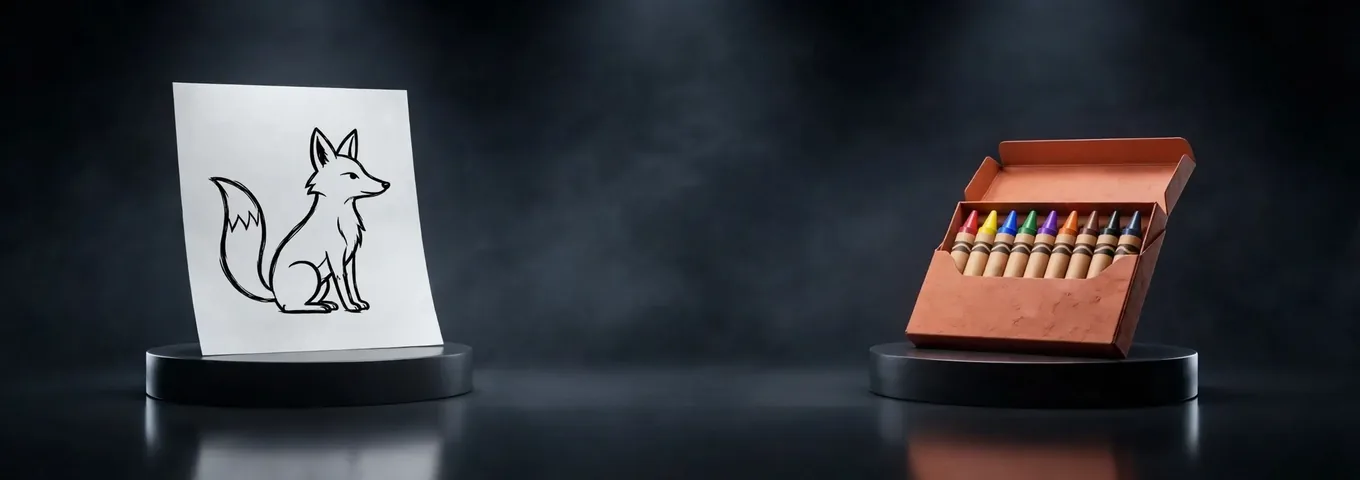
Create a black and white coloring page of [subject] in [scene]. Use thick, clean black outlines, no shading, no gray, no filled black areas and a plain white background. Keep every shape closed so it can be colored in. Make the detail suitable for [age or skill, such as a four year old or an adult who likes patterns]. Portrait page, a margin on all sides, no text.
Each phrase blocks a known failure. Thick outlines survive printing. No gray keeps a page from turning into a pencil sketch. Closed shapes mean the color stays inside. The age line sets how many small areas the page holds.
Is there a free AI coloring page generator with no sign up?
Yes, but the claim varies by tool and several pages leave the limit blank. The table lists what each tool says on its own page as of November 2026. Where a page was silent, the cell says not stated.
| Tool | Free use | Sign up | Input | Paid price | Best at |
|---|---|---|---|---|---|
| Bing AI Coloring Page Generator | "A free tool", no watermarks, no usage limits for personal projects | Not stated | Photo up to 20 MB, style menu | Not stated | Fast photo to line art |
| Adobe Firefly | Free daily generations for a free account, number not stated | Adobe ID or free account | Text description plus optional reference image | Not stated | Text to page |
| iColoring AI | Free to try, no watermarks, cap not stated | None | Photo or text | Not stated | No account quick pages |
| Cutout.pro | Button reads 5 credits a page, free credit amount not stated | Not stated | Photo, JPG, PNG or WEBP | Not stated | Turning one photo into outlines |
| Colorin.ai | First page free with no account, then 16 pages with a free account | Needed after page one | Text, photo or your own characters | Not stated | Themed multi page books |
| ChatGPT | Free plan lists "Limited image creation" | Account needed | Text or photo | Not shown on the pricing page copy | Custom scenes from a long prompt |
| Gemini | Free plan includes image generation with Nano Banana 2, no count stated | Google account | Text or photo | Not stated | Quick scenes inside Google apps |
| Whizi | 2 pictures a month on Free, 100 on Pro | Account needed | Text, or an attached photo | Pro $29.99 a month | One app for several image models |
Whizi loses on two counts. Bing and iColoring AI skip the account step that Whizi needs, and Bing turns a photo into line art in one click with no prompt to write. Whizi also has no dedicated coloring page screen: you describe the page in chat.
Bing's coloring page tool says in its FAQ: "There are no watermarks and no usage limits for personal projects." Colorin.ai's homepage says: "Your first page is free, no account needed." Neither page says what happens past those lines, so read the terms before you build a business on a free tool.
Claude can't draw the page. Anthropic's help center says: "Claude doesn't generate photos or illustrations the way image-generation tools do." Use it to write or refine the prompt and paste the result into an image model.
Three worked examples with prompts and what a good page needs
These are examples written for this page, not outputs from a tested tool. Each shows the prompt and the checklist a good page has to pass.
- A toddler page. Prompt: "Create a black and white coloring page of a big friendly elephant holding a balloon. Use very thick black outlines, only five or six large shapes, no shading, no gray and a plain white background. Portrait page, margin on all sides, no text." A good page has one elephant, one balloon, gaps wide enough for a chunky crayon and no tiny background details.
- A classroom page. Prompt: "Create a coloring page of the water cycle for a third grade science class. Show a sun, a cloud, rain, a mountain, a river and the sea as simple shapes with no words in them. Thick outlines, no shading, white background, portrait." A good page has all six parts in a clear order and room for the student to add labels by hand.
- An adult pattern page. Prompt: "Create a coloring page of a large owl made of repeating leaf and feather patterns. Fine but evenly spaced black lines, no shading, no gray, no filled black areas, white background, portrait, margin on all sides." A good page keeps every pattern cell closed and the line weight even across the sheet.
If a page fails one check, send one fix at a time, such as "Remove all gray and make every line the same thickness." Several fixes in one message tend to undo each other.
What are 12 prompts for coloring pages by use?
Prompts work first try when they name the subject, the line rules and who will color. Fill the brackets and keep the line rule sentence in every one.
For kids at home
- Animal: "Create a coloring page of a [animal] in [habitat] for a [age] year old. Thick outlines, a few large shapes, no shading, white background, portrait."
- Vehicle: "Create a coloring page of a [vehicle] driving through [setting]. Bold outlines, simple wheels and windows, no shading, white background."
- Story scene: "Create a coloring page of this scene: [two sentences from a bedtime story]. One main character, thick outlines, no text, no shading, white background."
- Name page: "Create a coloring page of [child's favorite thing] with a large empty banner at the top where I can write [name] by hand. No letters in the image."
For classrooms and parties
- Science: "Create a coloring page showing [process, such as the life cycle of a butterfly] as [number] simple stages in order. Thick outlines, no words, no shading, white background."
- History: "Create a coloring page of [event or place] for students aged [age]. Simple shapes, thick outlines, no text, no shading, white background."
- Party favor: "Create a coloring page with a [theme] border and a large empty space in the middle. Thick outlines, no shading, white background."
- Holiday: "Create a coloring page of [holiday scene] with one large central figure and a few simple props. Thick outlines, no gray, white background."
For adults and for photos
- Mandala: "Create a round mandala coloring page built from [leaves, waves or stars]. Even fine lines, every cell closed, no shading, no filled black areas, white background."
- Botanical: "Create a coloring page of [flower] in a vase with fine, clean outlines and visible petal detail. No shading, no gray, white background, portrait."
- Photo to page: attach a photo and write "Turn this photo into a coloring page. Keep the main subject, remove the background, use thick black outlines only, no shading, no gray, white background."
- Pet portrait: attach a pet photo and write "Draw this pet as a coloring page in a cartoon style. Simplify the fur into large closed shapes, thick outlines, no shading, white background, portrait."
More general image prompts are in the image prompt generator guide, and the best AI image generators page compares the models behind these tools.
Can AI turn a photo into a coloring page?
Yes. Bing, Cutout.pro and iColoring AI each list photo upload, and Bing's page states a 20 MB maximum size. You pick a style and the tool traces the main shapes into outlines.
Photos give better pages when the subject is clear. A face against a plain wall works. A crowded kitchen counter turns into hundreds of tiny shapes nobody wants to color. Crop first, then upload.
A chat app does the same job with a prompt, which gives you control a one click tool lacks. In prompt 11 you can say what to remove and how thick the lines should be. The cost is that you write the prompt and may need a follow up message.
What mistakes ruin an AI coloring page?
Five mistakes cause most bad pages, and each one has a short fix.
- Gray shading and filled areas. The fix: add "no shading, no gray, no filled black areas" to the prompt, and if it still appears, send one message that asks only for that change.
- Tiny enclosed areas. The fix: ask for "five or six large shapes" for young kids and name the age.
- Open lines where color will leak. The fix: ask for "every shape closed" and zoom in before you print.
- Garbled text and letters. The fix: leave text out, then add a name or label yourself in a document or by hand.
- A photo with a busy background. The fix: crop to the subject, or ask the model to remove the background.
A sixth is subtle: the wrong page shape. A landscape image printed on a portrait sheet wastes a third of the paper, so ask for portrait.
How do you print an AI coloring page so it looks right?
Print at 100% on standard letter or A4 paper. Bing's page calls its downloads high resolution and suitable for standard paper. Scaling to fit shrinks the lines, and a thin line is the first thing a crayon covers.
Check the margin before you print a stack. A figure that touches the edge of the image gets cut off by many home printers, so ask for a margin on all sides in the prompt. Use plain paper for crayons and a heavier sheet for markers, because markers bleed through.
Test one page first. If the outlines look thin on paper, go back and ask for "thicker, bolder outlines" instead of printing the same page darker. A darker print makes any gray in the image worse.
For a set of pages, keep one style sentence and reuse it. Something like "thick outlines, no shading, white background, portrait" at the end of every prompt gives you pages that feel like a book. Change only the subject line between requests.
If you plan to sell or hand out a bound book, keep a note of the tool and the date you made each page, along with the terms you read that day. That record helps if a platform asks where the art came from.
Where does Whizi fit for coloring pages?
Whizi is one app instead of a pile of single purpose tools: you write the prompt once, then refine it in the same chat. It carries image models in chat, including Whizi Image and Flux for generation and Nano Banana for editing your photos.
The free plan gives you 10 messages a day on Whizi AI, Auto and Claude Haiku, with no card, and 2 pictures a month. On the website each picture also uses one of the day's messages. You can attach a photo to a chat message, and 5 photo uploads a day are open on Free.
Pro carries Claude, GPT and Gemini in one app, and its first week is $1.99. It gives 100 pictures a month. You can ask Claude to tighten a prompt, then send it to an image model without leaving the chat. Word files made in chat have no plan gate, so a worksheet with room for the page is one request away. The AI worksheet generator guide covers that side. See Whizi pricing for each plan.
Where does an AI coloring page generator fall short?
It can't promise a perfect page on the first try, and it can't tell you who owns the result. Free tools often say personal use only. Bing's page says no usage limits "for personal projects" and gives no terms for selling pages.
Adobe's page says its Firefly image models are trained on licensed and public domain content, and Colorin.ai's page says every plan, the free account too, includes a commercial license. Neither replaces reading the terms before you sell a book.
Image requests also spend your plan. Google's Gemini limits page says multimedia requests including images require a lot of thinking power, and it prints no image count. If you print many pages, budget for that.
Don't ask for pages of a famous cartoon character. The page may look close to the original, and the character belongs to its owner. Make an original character instead.
- Name one subject and one scene in the prompt
- Add no shading, no gray, no filled black areas and a white background
- Say who will color the page so the detail level fits
- Ask for portrait format and leave text out
- Zoom in to check every shape is closed before you print
Frequently asked questions
Is there a free AI coloring page generator?
Yes. Bing's page calls its generator a free tool with no watermarks and no usage limits for personal projects, as of November 2026. Adobe Firefly gives free accounts daily generations, though its page states no number. Check each site's terms before commercial use.
Can I make a coloring page from a photo?
Yes. Bing, Cutout.pro and iColoring AI each accept a photo and turn it into line art. Bing states a 20 MB maximum. For control over line thickness and background, attach the photo in a chat app and use prompt 11.
What is the best prompt for a coloring page?
Name one subject, then add thick black outlines, no shading, no gray, a white background and who will color it. The first prompt on this page has all five. Add portrait format and no text to avoid garbled letters.
Can Claude make coloring pages?
Not directly. Anthropic's help center says Claude does not generate photos or illustrations the way image generation tools do. It can write or improve the prompt, which you then paste into an image model such as Gemini or ChatGPT.
