

What prompt makes a good AI caricature?
Paste this into Claude, ChatGPT, Gemini or Whizi with your photo attached, and fill the brackets.
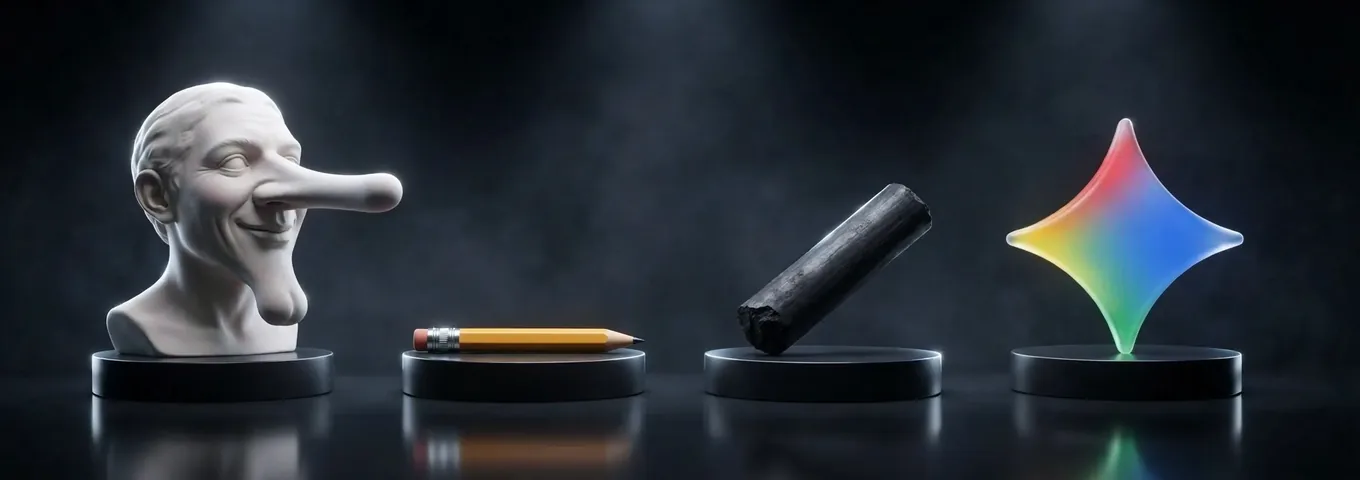
Make a [mild, medium or strong] caricature of the person in this photo. Exaggerate only their [two features, such as a wide smile and tall hair]. Keep the face recognizable and the expression friendly. Style: [ink and watercolor, newspaper cartoon or bold poster]. Add one prop: [guitar, laptop, whistle]. Plain [color] background. No text, no extra people.
A caricature is, in the words of the Wikipedia article on the form, an image that shows its subject's features "in a simplified or exaggerated way." The prompt is built around that. It says which features to push, how far, and what to leave alone.
How do you turn a photo into a caricature, step by step?
Upload one clear photo, name the features to exaggerate, set the strength and pick a style. That is the same flow Adobe describes: upload, edit a pre filled prompt, adjust style settings, generate, download. The same steps work in any chat app.
Use a photo with the face fully visible, in good light, looking at the camera. Adobe's own page says faces should be clearly visible for best results, and it accepts JPEG, PNG or WEBP files up to 100MB and at least 512 by 512 pixels. A cropped, dark or sideways photo gives the model less to exaggerate.
Ask for one caricature at a time, then iterate. The most common failure is a likeness that drifts, which the mistakes section below fixes. For the general photo editing controls, edit photos with AI goes through them.
Three worked examples with the prompt and what a good result needs
Each example below is a prompt written for this page and a checklist for judging the result. No tool output is shown, because we did not run these through a named model for this article.
Example 1, a self caricature for a profile picture. Prompt: "Make a mild caricature of me from this photo. Exaggerate my round glasses and my wide smile only. Ink outlines with soft watercolor, plain warm grey background, head and shoulders, no text." A good result keeps your hair, skin tone and glasses shape, enlarges the smile and the frames by a visible but small amount, and leaves the eyes and ears alone. If the nose changed, the model ignored the word "only."
Example 2, a caricature of a couple for a gift, both people agreeing. Prompt: "Make a medium caricature of the two people in this photo. Keep who stands where. Exaggerate his height and her curly hair. Warm newspaper cartoon style, a small coffee cup in each hand, cream background." A good result gives each person a clearly different feature pushed, so you can tell them apart from across a room. If both faces look alike, ask again with one person at a time.
Example 3, a team caricature for a farewell card, with every person's okay. Prompt: "Here are five coworkers who all agreed to this. Make a friendly poster style caricature of each, in one shared style, as a row of heads. Exaggerate only one harmless trait each: [name 1] tall laugh, [name 2] big headphones, [name 3] stack of notebooks. Nothing unflattering, no text." A good result keeps each person kind, in the same style, with their trait as the joke. Anything that mocks a body or a health trait is a rewrite, not a tweak.
Which AI caricature generator is free?
Adobe Firefly, Fotor and Dzine all say you can start free, ChatGPT and Gemini list free image routes, and FlexClip states no free terms on its caricature page. The table is compiled from each tool's own page as of November 2026. A cell that says "not stated" means the page doesn't say.
| Tool | Free use | Sign up | Paid price | Strength control | Best at |
|---|---|---|---|---|---|
| Adobe Firefly | "Free daily generations" with an Adobe account, number not stated | Adobe account | Paid plans give more generative credits, price not on this page | Yes, an exaggeration dial | Adjusting strength and style from a pre filled prompt; PNG download |
| Fotor | "Free credits" for every new user, number not stated; more by daily tasks or paying | Not stated in the body; H1 says no login | Not stated | Not stated | Caricature styles, group photos and a 3 by 3 grid |
| Dzine | Basic creation and HD downloads called free, with no subscription | "Start for Free" button; account needs not stated | Premium only for ultra high resolution prints or exclusive style templates, price not stated | Not stated | Pets, groups and quick styles |
| FlexClip | Not stated | Not stated | Not stated | Not stated | Text prompts and a prompt helper |
| ChatGPT | "Limited image creation" and "limited messages with uploads" on Free | Yes | Go is $8 a month in the US per OpenAI's launch post, with 10x the image creation of Free; Plus price not stated on the sources read | Whatever you write in the prompt | Editing in conversation |
| Gemini | Image generation with Nano Banana 2 appears without a Google AI plan, per Google's limits table | Google account | Not stated | Whatever you write in the prompt | Iterating on a photo |
| Whizi | 2 pictures a month on the free plan | Account needed | Pro $29.99 a month | Whatever you write in the prompt | Caricature plus the caption, in one chat |
The tools aren't equal. Adobe is the only one in the table that prints a feature for the strength of the effect, and its page says "Exaggeration is a dial, not a switch." Its page also lists partner models, including GPT Image, Gemini with Nano Banana and FLUX, and says the free account has daily generations, yet it never prints the number or the price of the paid plans. Fotor's page ends the free credits with "become a paid subscriber, purchase more credits or earn more free ones."
Whizi loses here on three counts. It needs an account, where Fotor says no login in its heading. It has no exaggeration dial or caricature templates, where Adobe has both. And 2 free pictures a month is not a daily allowance. Pick Adobe for a controlled one off caricature and Fotor for a quick no fuss try.
Sources are each tool's own page: Adobe Firefly, Fotor, Dzine and FlexClip. ChatGPT's row is from its pricing page and OpenAI's Go launch post, and Gemini's from Google's limits page. The Gemini table uses check mark images: image generation with Nano Banana 2 is ticked for people without a Google AI plan, with standard limits that refresh every 5 hours up to a weekly limit.
What is the ChatGPT caricature trend prompt?
The trend that sent people to caricature tools used one line. Android Authority quotes it as "Create a caricature of me and my job based on everything you know about me," sent with a photo. The result exaggerates features and adds props that hint at the job.
That prompt asks the model to pull from what it remembers about you. Android Authority notes the picture gets more personal the more you use ChatGPT, and raises the energy cost of image generation. If you would rather not hand over history, use the template at the top of this page and write the job and features yourself.
Adobe, Fotor and Dzine all offer the same job without a chatbot: upload a photo, pick a style, download. Adobe's page says the file comes as a PNG, and Fotor says a result usually arrives in under 10 seconds, which is Fotor's own claim, not a test of ours.
What prompts make a caricature of yourself?
A self caricature prompt works when it names your features and keeps the rest. These four assume you attach one clear photo of yourself.
- Profile picture: "Make a mild caricature of me. Exaggerate my [feature] and my smile only. Clean ink lines, flat color, soft [color] background, head and shoulders. Keep my hair and skin tone exactly."
- Job caricature: "Make a medium caricature of me at work as a [job]. Exaggerate my [feature]. Show one tool of the trade, such as [stethoscope, whiteboard marker, chef's knife]. Bold poster colors, no text."
- Hobby caricature: "Draw me as a caricature doing [hobby]. Oversize the [prop] a little. Keep my face recognizable and my expression happy. Pen and watercolor, white background."
- Retro newspaper look: "Turn me into a black and white caricature from an old newspaper cartoon. Strong cross hatching, big head on a small body, a speech bubble left empty. Keep my face friendly."
The job prompt matters most this year, because the trend asks a chatbot to draw you at work. Write the job yourself in the brackets. Don't ask the model to guess it from your past chats, which pulls personal history into a picture you may share.
What prompts make a caricature of a pet, a couple or a team?
For pets, couples and groups, say who is who and give each one a separate feature. Only use faces of people who agreed. These eight cover the usual gifts and cards.
- Pet: "Make a caricature of my [dog or cat] from this photo. Exaggerate the [ears or whiskers] and keep the exact fur colors and markings. Funny but kind, storybook watercolor."
- Pet as a person's sidekick: "Draw my [pet] as a caricature in a tiny [costume]. Big eyes, same markings, simple park background. No text."
- Couple: "Make a medium caricature of the two people here, both of whom agreed. Keep who stands where. His feature is [feature], hers is [feature]. Newspaper cartoon style."
- Wedding or anniversary: "Draw the two of us as a caricature on a wedding invitation. Keep the faces warm, exaggerate only the smiles and our height gap. Soft watercolor, space at the top for text, but print no text."
- Team poster: "These [number] coworkers all agreed. Make a friendly caricature of each in one shared poster style. One harmless trait each: [list]. Row of heads, plain background."
- Retirement card: "Make a caricature of [name], who agreed, as a captain on a ship with a fishing rod. Exaggerate the [smile or laugh lines] kindly. Warm colors, no text."
- Teacher or coach gift: "Make a kind caricature of [name], who agreed, holding a [whistle, ruler, baton]. Big smile, tall posture, bright poster colors, no text."
- Kids' birthday: "Draw my [age] year old as a cartoon caricature in a [favorite theme] costume. Keep the hair, the gap in the teeth and the glasses. Wholesome, bright, no scary elements."
Group photos are where faces drift. If one face slips, crop that person and caricature them alone, then ask for the same style on the others. Whizi's photo edit accepts up to 4 source images in one request.
What ruins an AI caricature, and what fixes it?
Five mistakes cause most bad caricatures, and each has a plain fix.
- The face turns into a stranger. Name only two features to push and say "keep the face recognizable."
- Everything is stretched at once. Add the strength word, and start at mild.
- The style is generic. Name a concrete look, such as ink and watercolor or a bold poster, not "cartoon."
- A second person gets the first person's features. Describe each person separately and fix who stands where.
- Text appears in the picture, misspelled. Say "no text" and add the words later in a design tool.
If a result is nearly right, don't rewrite the prompt. Say what is wrong in one sentence and keep the rest, so the likeness doesn't reset.
Is it okay to make an AI caricature of someone else?
Caricature yourself, or people who say yes. A caricature exaggerates a real face, so it can hurt, and a realistic one of a real person can mislead if it is shared as if it were a photo. Adobe asks uploaders to confirm they are 18 or older. It does not ask whether the person in the photo agreed.
The same rule covers public figures. Wikipedia notes that caricatures "can be either insulting or complimentary," and political ones have a long history in newspapers. That history is drawn and signed by a named artist. An AI picture of a real politician or a celebrity, passed around without that context, can read as a real event. Dzine's page says its tool works with celebrity pictures. We would not make a caricature of a public figure for a post, and we wouldn't give a prompt for it.
Before you upload a photo of anyone, ask them. Before you share a caricature of anyone, show them first. Tools also differ on what they do with uploads, and Adobe, Fotor and FlexClip each point to a privacy policy or answer on the page rather than a short rule, so read it before you upload a child's face. For a flat, safe subject with no real face at all, try AI character generator.
Do you need one app instead of a pile of tools?
If you make one caricature now and then, a free tool in the table is enough. One app pays off when the caricature is part of a bigger job, such as a card, a gift, a farewell poster or a profile, and you would otherwise hop between tabs.
Whizi, which publishes this page, lets you attach your photo to a chat message for a Nano Banana photo edit, with up to 4 source images, and the result keeps the framing of your photo. Then you stay in the same chat to write the card message or the speech. The free plan gives you 10 messages a day on Whizi AI, Auto and Claude Haiku, no card, and photos sent into chat are capped at 5 a day on it.
Pro carries Claude, GPT and Gemini in one app, and its first week is $1.99. Pictures a month on the free plan: 2, and Pro: 100. Word and Excel files made in chat have no plan gate, so the card text can come back as a Word file. See Whizi pricing for what each plan holds. For a plain cleanup of a photo first, AI photo restoration covers it.
What can an AI caricature generator not do?
It can't promise a likeness, and it can't tell whether your joke will land. A model predicts a plausible exaggerated face, so the result can look like a cousin, not like you. The fix is a clearer photo and a shorter list of features.
It also can't grant rights. Adobe says its Firefly models are commercially safe, which is the page's own claim, and Dzine says commercial use is allowed with a free account. Neither page tells you the person in your photo agreed. If a caricature goes on a product or an ad, get a written yes from the person and read the tool's terms.
- Use a clear front facing photo of yourself or of someone who agreed
- Name two or three features to exaggerate, and a strength word
- Start at mild and change one thing per round
- Say no text, then add words in a design tool
- Show the person the caricature before you share it
Frequently asked questions
Is there a free AI caricature generator?
Yes. Adobe Firefly says you can use its caricature maker for free with an Adobe account and gives free daily generations, as of November 2026. Dzine calls basic creation and HD downloads free, and Fotor gives new users free credits. None of the pages states a clear daily number, so expect a limit.
What is the AI caricature trend?
It is people asking a chatbot to draw them as a caricature, often at work or doing a hobby, and sharing the result. You can join it without handing over personal history: upload a photo, name your job and the features to exaggerate, and use the prompt in this article.
Can I make an AI caricature of a celebrity or politician?
Technically some tools allow it, but we advise against it. Dzine says its generator works with celebrity pictures. A realistic AI picture of a real public figure can mislead when shared without context, so caricature yourself or people who agreed.
How do I make an AI caricature look like me?
Use a clear front facing photo and name only two features to exaggerate. Say "keep the face recognizable" and start at a mild strength. If the face drifts, change one thing per round instead of rewriting the prompt.
